I’ve discovered a very handy trick: How to open a Command Prompt Window from any Windows directory. All you have to do is in any directory hold down the shift key whilst no directory items are selected and right click. One of the context menu options will be ‘Open Command Window Here’. A Command prompt window will open with the current directory set to the directory from which it was initiated. No more cd (change directory) commands needed.
Original article from CodeProject
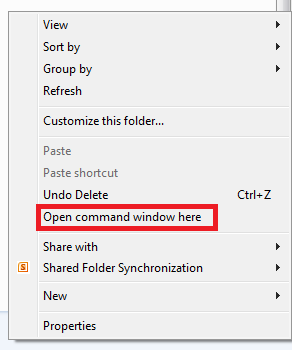
Open Command Prompt Window Here





 Software by Default
0 Responses to “How to open a Command Prompt anywhere”